Gun Master 3D: Shoot and Run
Publisher Description
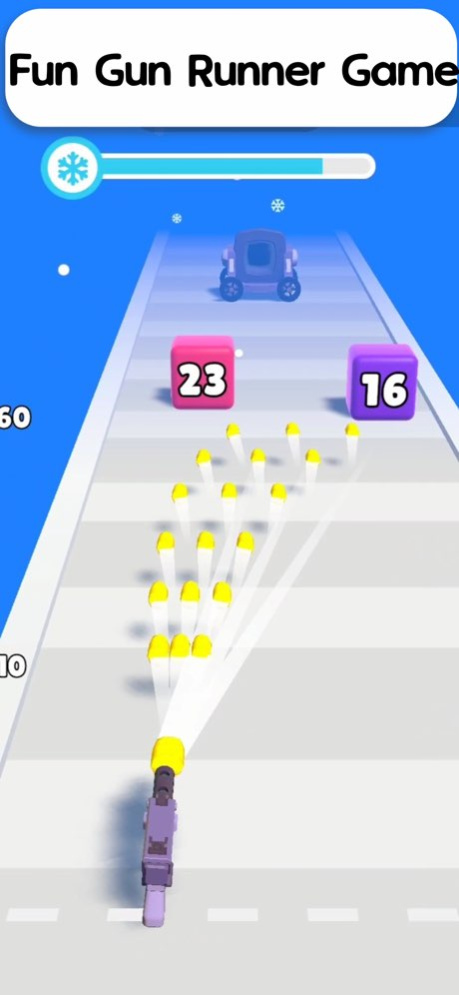


Welcome to Gun Master 3D: Shoot and Run, the ultimate shooting game that combines fast-paced action with strategic gameplay! Dive into an exhilarating world where you must guide your character through challenging levels, destroy obstacles, and collect coins to upgrade your arsenal. With each level, the intensity increases, pushing your shooting skills to the limit.
Key Features:
Engaging Levels: Conquer a variety of challenging levels that test your reflexes and strategic thinking. Each level is designed to provide a unique experience, ensuring you never face the same challenge twice.
Powerful Weapons: Collect and upgrade a wide range of powerful weapons. From basic guns to advanced artillery, equip yourself with the best gear to take down even the toughest obstacles.
Stunning Graphics: Enjoy vibrant and colorful graphics that bring the game to life. The smooth animations and visually appealing design make Gun Master a treat for the eyes.
Endless Fun: With an endless mode, you can test your skills and see how far you can go. Compete with friends and players worldwide to climb the leaderboards and become the ultimate Gun Master.
Easy Controls: The intuitive controls make it easy for anyone to pick up and play. Whether you’re a casual gamer or a shooting game enthusiast, Gun Master offers a seamless and enjoyable experience.
Join the adventure and become the ultimate Gun Master! Download now and start your journey through action-packed levels, upgrade your weapons, and show off your shooting skills!
About Gun Master 3D: Shoot and Run
The company that develops Gun Master 3D: Shoot and Run is Karuwa Apps Pvt. Ltd.. The latest version released by its developer is 1.0 .
To install Gun Master 3D: Shoot and Run on your iOS device, just click the green Continue To App button above to start the installation process. The app is listed on our website since 2026-10-06 and was downloaded 0 times. We have already checked if the download link is safe, however for your own protection we recommend that you scan the downloaded app with your antivirus. Your antivirus may detect the Gun Master 3D: Shoot and Run as malware if the download link is broken.
How to install Gun Master 3D: Shoot and Run on your iOS device:
- Click on the Continue To App button on our website. This will redirect you to the App Store.
- Once the Gun Master 3D: Shoot and Run is shown in the iTunes listing of your iOS device, you can start its download and installation. Tap on the GET button to the right of the app to start downloading it.
- If you are not logged-in the iOS appstore app, you'll be prompted for your your Apple ID and/or password.
- After Gun Master 3D: Shoot and Run is downloaded, you'll see an INSTALL button to the right. Tap on it to start the actual installation of the iOS app.
- Once installation is finished you can tap on the OPEN button to start it. Its icon will also be added to your device home screen.
